WinDatalog
 Event Detector Data Collection and Analysis Software for Windows 7,10 &11
The WinDatalog software package runs under the Windows XP, Windows 7, Windows 10 and Windows 11, 32/64 bit operating systems and offers powerful data acquisition and statistical analysis programs designed to be used in conjunction with Analysis Tech Event Detectors. This software package provides a complete range of options for convenient data collection, storage and analysis during cyclic reliability and life testing.
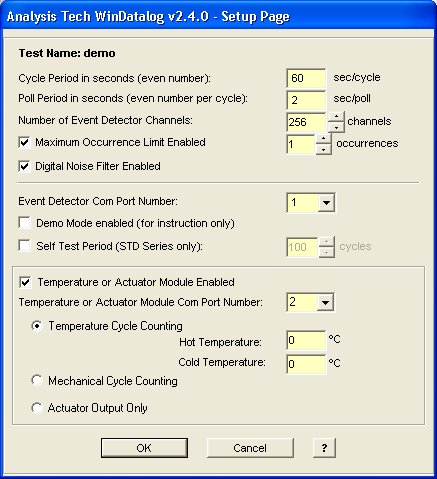
With WinDatalog running on a PC, test data is collected at user-specified intervals via a USB or RS-232C serial connection between the computer and the Event Detector(s). The test record logs the channel number, time, date, cycle number, and event multiplicity, while providing tabular and graphical summary displays of the ongoing test status. When using the accessory Temperature Module or Temperature/Actuator Module, data collection is synchronized with cyclic operation of ovens/chambers for complete control of extended-period, unattended testing. CLICK HERE for the latest WinDatalog software updates.
WinDatalog Features
- Easy-to-use Graphical User Interface..
- Testing may be paused and resumed at any time without any data discontinuity.
- Easy-to-use utility for deleting undesired data.
- Can be used with USB or RS-232C serial communication link.
- Weibull statistical analysis can be performed during testing.
- Test data files and log files may be viewable during testing.
- Continuous full-screen display of event data and test status.
- Options for IPC785 and JESD22-B111 failure criteria are selectable.
- Features for integrated drop-testing including data collection and control
- Simplified tracking of failure history and "at-a-glance" summary plots.
- Comparative Weibull statistics directly from multiple event data records.
- Automatic masking of data from channels after selected number of events have been recorded.
- Supports linking of Event Detectors for up to 1024 channels.
- Optional data collection during connector mating/unmating cycles.
- Data file editing utility for swapping samples in mixed sample collections.
- Temperature Module data is automatically saved and can be plotted during testing.
- Selectable Weibull parameter of N50 or N63.
- Utility for creating Channel Selection Files for selected channel data analysis.
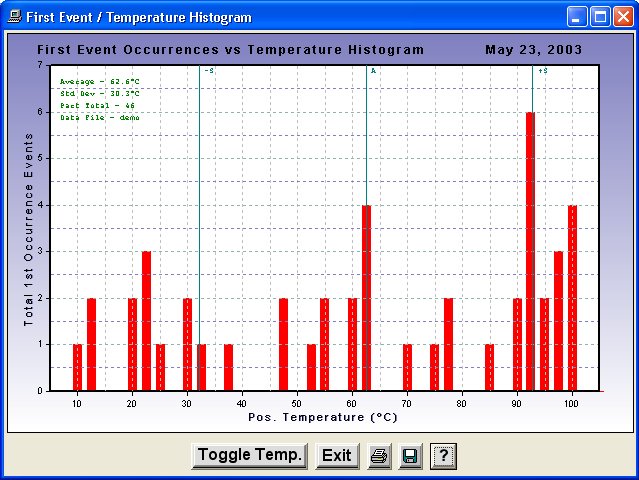
- First Event Occurrences Vs. Temperature Histograms available.
- At-a-glance "Schmoo File" continuously shows all failures-to-date.
- An IPC or JEDEC log file can be viewed at any time for failure overview.
- Convenient data directory backup utility is provided.
- All plots available in .bmp or .jpg formats
Features with accessory Temperature Module
- Automatic counting of thermal cycles
- Automatic error checking of temperature cycles produced by chamber
- Data file record of temperature for each event occurrence
- Data file record of temperature change direction (+ or -) for each event
- Mechanical cycle counting for drop test or board bending
Features with accessory Actuator Module
- Synchronous control of connector mating/unmating cycles
- Control of other laboratory test equipment in synchronization with data collection
- Mechanical cycle counting for drop test or board bending
WinDatalog provides the capability to test continuously for long or short periods without operator assistance. While testing proceeds, full data records are maintained. Stopping and restarting tests is simple with full control of the data files for contiguous records. With WinDatalog, tests can run 24 hours/day with complete confidence in the reliability of the data collection algorithms.
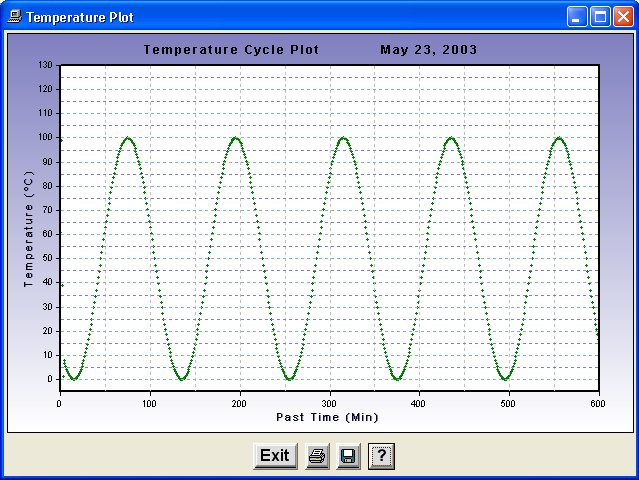
For thermal-cycling tests, WinDatalog software monitors thermocouple temperatures when used in conjunction with the Temperature Module accessory. This temperature data is stored with the event data and provides valuable insight into the phase of the temperature cycle that is most likely to generate events. WinDatalog also uses the Temperature Module to count thermal cycles and monitor the consistency of the thermal cycles to detect thermal chamber malfunction. WinDatalog performs other test monitoring functions through the Temperature Module.
With the WinDatalog software operating in conjunction with an Analysis Tech Event Detector with Actuator Module, control of environmental ovens, chambers, or board-flexers is automatic and synchronized. All aspects of cycle timing, actuation, data collection, and data recording are handled and synchronized by the PC computer master clock when running WinDatalog.
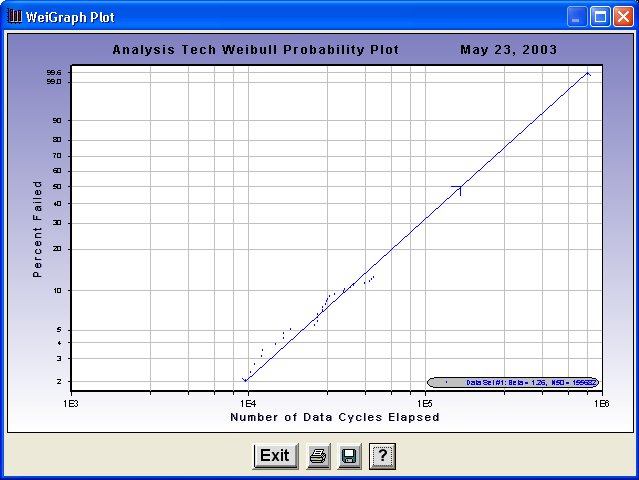
During testing, a Weibull Statistical analysis can be easily generated. This graphical summary offers an instantaneous summary of the events detected since the test began. Here, the percent of channels with detected events is plotted versus data cycles or temperature cycles. The best fit Weibull characteristics, slope and cycles @ N50 (or N63), are determined and displayed. These can be performed on all channels under test or only for lists of selected channels. These channel lists are prepared by the user when testing is initiated. This feature provides a convenient means to compare different types of specimens undergoing testing simultaneously. For example, if two different types of solder joints are being tested simultaneously, a graphical comparison of the two failure distributions can be made at any time while the test is in progress by utilizing this feature.
We welcome comments, suggestions, and requests for special software features. Many of the features of WinDatalog have evolved from feedback from our users.
Specifications
- Maximum poll rate: 1 poll per second
- Minimum data cycle time: 2 seconds
- Statistical method: Weibull
- Maximum number of channels: 1024
Minimum Requirements
- Windows 7 or 10
- Two USB or serial ports
- Analysis Tech supplied USB and serial cable
WinDatalog and WeiGraph Software Screenshots